importscope inspect
Use this after analyze when you want a precise answer from a saved snapshot.
importscope inspect module importscope.cli
importscope inspect edge importscope.cli importscope.app
importscope inspect path importscope.cli importscope.renderers
importscope inspect path importscope.cli importscope.renderers --highlight
importscope inspect cycle
importscope inspect symbol analyze_repo
Default Behavior
When run without --snapshot, inspect reads:
.cache/importscope/analysis_snapshot.json
So the shortest common flow is:
Useful flags:
--snapshot: path to the savedanalysis_snapshot.jsonDefault:.cache/importscope/analysis_snapshot.json
Subcommands:
module <name>: inspect one moduleedge <source> <target>: inspect one directed edgepath <source> <target>: inspect paths between two modulescycle: list cycle componentssymbol <name>: inspect a symbol definition and its references
Extra path flag:
--max-paths: cap how many paths are returned--highlight: render the selected path graph next to the snapshot using a default output name--graph-out: render the selected path back onto a labeled module graph--graph-format: choosesvg,dot, orbothfor the path graph artifact--path-index: choose which returned path to highlight when more than one exists
Use inspect when:
- you want one precise module-to-module path
- you want to verify a suspicious edge from the graph
- you want to inspect cycles without reading the whole report
- you want to see where one symbol is imported
- you want a graph artifact with one path highlighted instead of scanning the whole module graph manually
Path Graphs
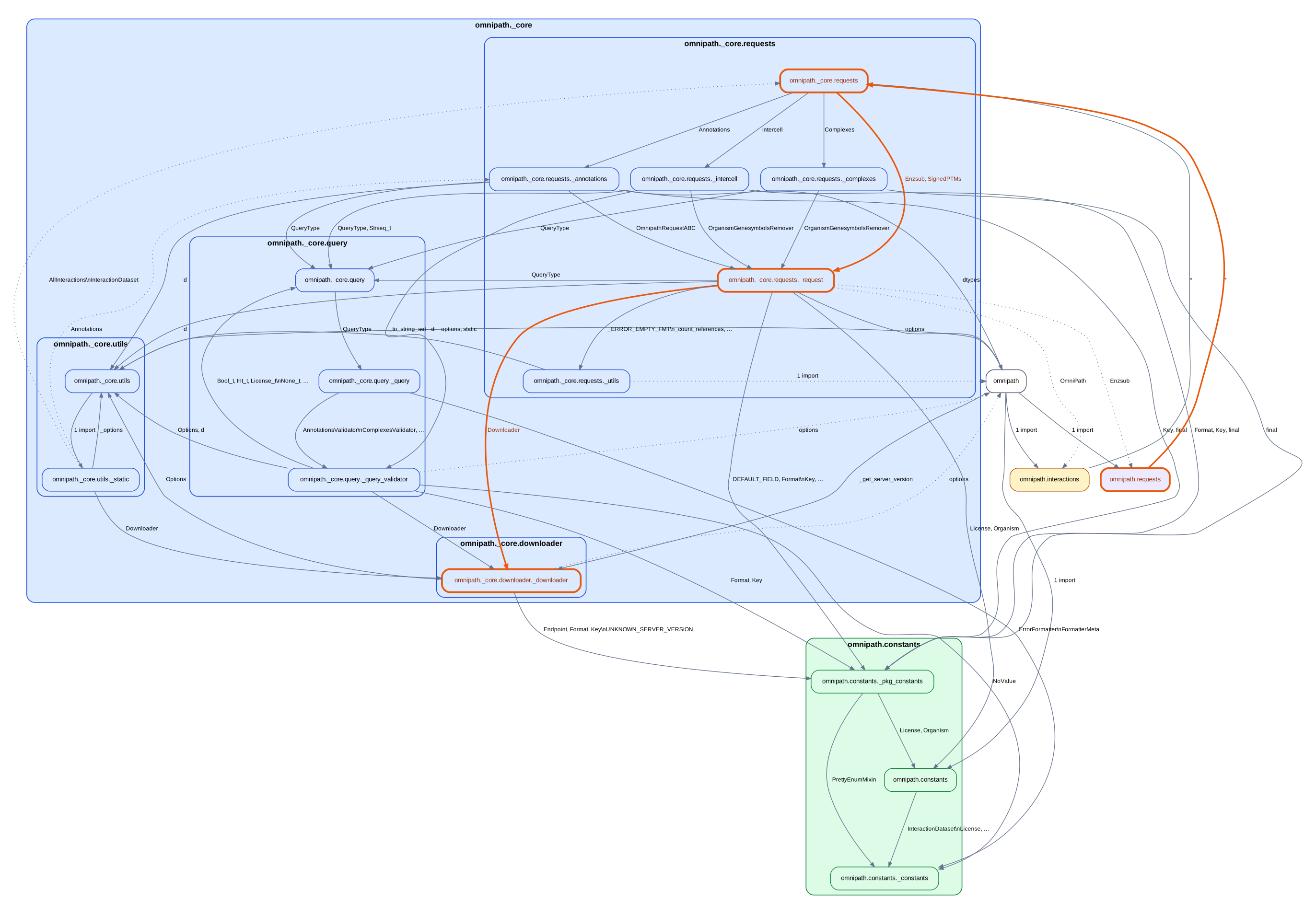
inspect path can now render one selected path back onto the labeled
module graph.
Basic usage:
This writes:
.cache/importscope/path_importscope.cli__to__importscope.renderers.svg
Use --highlight when the default snapshot path is fine and you just want the
highlighted graph quickly.
If you want a custom output name or location:
importscope inspect \
path importscope.cli importscope.renderers \
--graph-out .cache/importscope/cli-to-renderers
If you also want the intermediate DOT source:
importscope inspect \
  path importscope.cli importscope.renderers \
--highlight \
--graph-format both
When multiple paths exist, inspect them first and then pick one:
Then render a specific path:
importscope inspect \
  path importscope.cli importscope.renderers \
--max-paths 5 \
--path-index 1 \
--highlight
The rendered graph keeps the normal module grouping and labels, but highlights the selected path with stronger node and edge styling.
Example highlighted path graph:
Typical examples: